Free network audit app
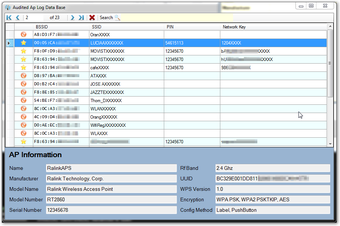
waircut—short for Wireless Air Cut—is a WiFi Protected Setup (WPS) wireless, portable, and free network audit software. This app is a network tool designed to check the security of your wireless network. When you need to make sure that your wireless internet connection does not leave you vulnerable, this app can help. It can test your router to look for known generic-WPFS pins, brute-force vulnerabilities, and more.
Top Recommended Alternative

Check your wireless connection
Computer users, especially novices, do not always worry about their security whenever they plug into their router. Granted, when the new router comes in, their first instinct is to plug it in, connect to the internet, and start browsing, playing, or watching some videos. However, while this is tempting, doing so is like moving into a new home without checking or changing the locks. The idea behind this app is to have a tool that checks for your wireless security. More precisely, it checks if you have the Wi-Fi Protected Setup protocol enabled.
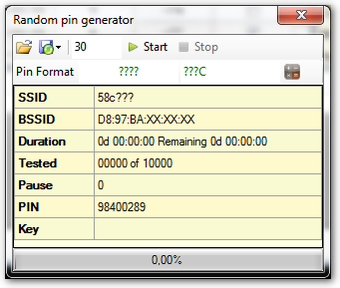
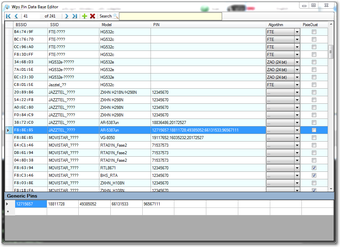
By having it enabled, you can avoid possible security breaches and other unwanted, unpleasant situations in the long run. Additionally, the program comes with other features that can further enhance your wireless security. For one, you can check if your device has a generic or WPS pin set. As noted, it can also check whether it acts weak against brute-force attacks or pixie-dust attacks.
The first thing you need to check before installing the app is if you have a WiFi protected setup protocol installed in your device. waircut does not have a straightforward setup. It even implies that you install Jumpstart first. Even so, depending on the settings of your systems, you may experience various hindrances such as the need to disable the User Account Control (for Windows 10). You can come around it by accessing the corresponding registry and changing its values.
Make sure your router is safe
All in all, waircut is a recommended security app. This program ensures that your router benefits from all the protection features available. Hence, you are not vulnerable in front of anyone who wishes to access your data. It does not have a straightforward installation process, but it has simple operations and is a very useful software to have.